Today, we are building a simple breakout alert bot using TradingView.
In the first article, we covered what automated trading is and how successful traders actually use bots. In the second, we went through the proper roadmap: strategy first, rules second, testing third, and automation after that. Now it is time to make that process real.
📌 Disclaimer: This isn’t a fully autonomous hedge-fund-grade machine that places orders across five brokers while you sleep. That is not the point of this article.
My goal is to help you build your first useful semi-automated trading workflow, one that watches the market for a specific condition and alerts you the moment that condition appears.
What we are not doing is building some monster workflow with six indicators, three confirmations, and twenty exceptions. That is how beginners create confusion and call it sophistication.
If your first bot can monitor one clean setup better than you can manually, it is already useful. And once you have something useful, you can improve it, refine it, and eventually connect it to deeper automation later on.
1. Choose One Simple Setup
Though I already mentioned that we are making a breakout alert bot, let’s dig deeper into why I chose this for the first assignment. Your first bot should solve one problem well, not ten problems badly.
Breakout logic is easy to understand, easy to define, easy to test, and easy to automate without turning the article into a coding rabbit hole. Price does not need to “feel ready.” It either breaks the level under the right conditions, or it doesn’t.
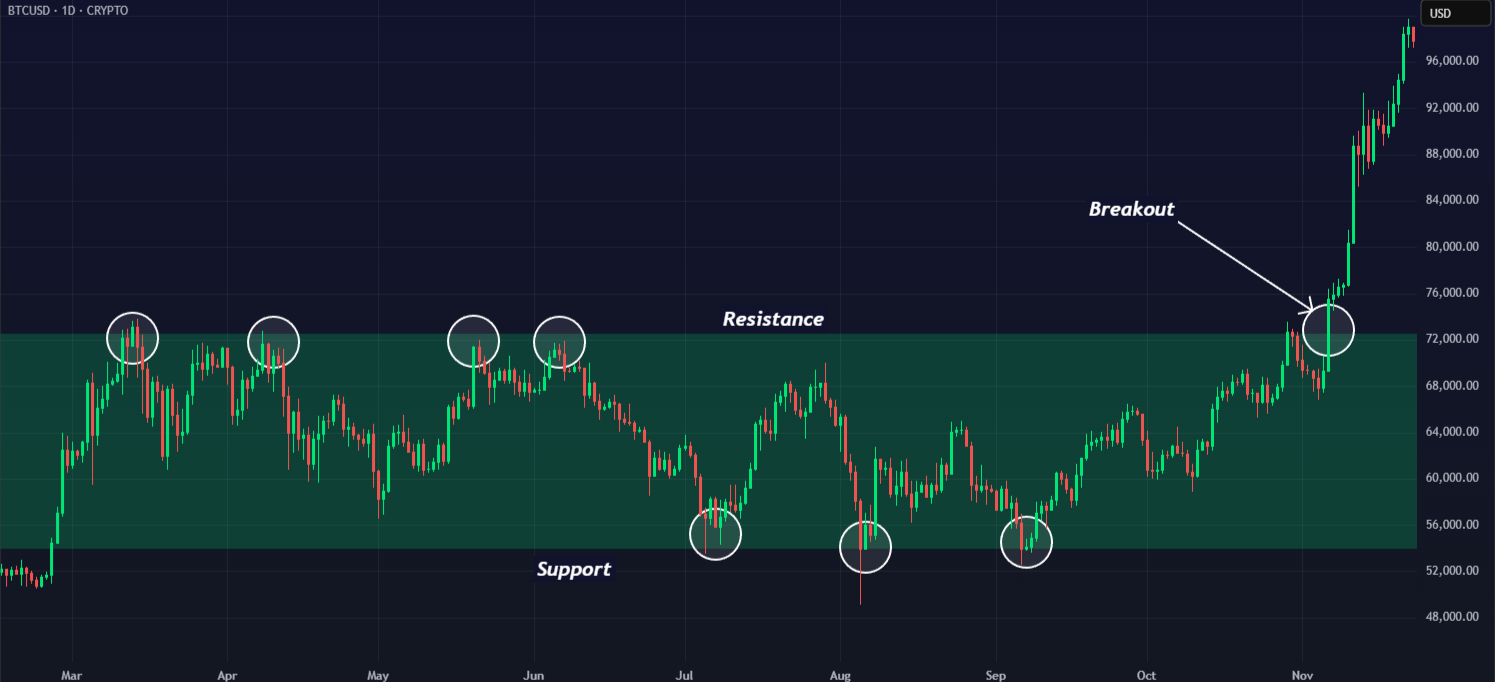
For this first version, keep the setup as simple as possible. Pick one market, timeframe, and breakout level, add one confirmation, and ignore everything else. Practically speaking, it would look something like this:
“Alert me when EUR/USD closes above the previous session high on the 5-minute chart, during the London open, with momentum expanding.”
This is already an excellent starter setup. Why? The level, the trigger, the session, and the confirmation are all crystal clear. And the setup can be verified on a chart.
Read: What Is Breakout Trading? A Practical Guide to Structure, Momentum & VolatilityIf you want, you can use one of these simple breakout ideas as your base:
- break above the previous day’s high
- break above a clean intraday range
- break above a session high
- break out of a tight consolidation with rising momentum
They all work for the same reason: they give the bot something objective to watch. Alright, so, here’s your assignment: Lock in three things before we go any further.
- Instrument: What market are you building this for?
- Timeframe: What chart will the bot watch?
- Level: What exact level or range needs to be broken?
For my demonstration, we’ll build this bot around EUR/USD on the 5-minute chart and monitor the previous session’s high. We’ll also keep our focus on the London open, since it gives us a liquid market and a better chance of seeing a real breakout rather than a sleepy fake move.
In the next step, we’ll turn that exact setup into rules the bot can actually follow.
2. Turn the Setup into Bot Logic
Our job here is to take the breakout idea and strip it down into clear logic that can be checked without interpretation. For this demonstration, the setup is:
- Instrument: EUR/USD
- Timeframe: 5-minute chart
- Level: previous session high
- Session filter: London open
- Confirmation: momentum expansion
That means the bot is not watching for every breakout on every chart. It is watching for a single, very specific event in a defined context. Now, let’s break that rule into smaller parts that the workflow can actually check:
1. The market must be EUR/USD. Sounds obvious, but this is exactly the kind of thing you want fixed from the start. One setup, one market. No random switching.
2. The chart must be on the 5-minute timeframe. We are not mixing signals from the 1-minute and 15-minute charts here. The bot needs one decision environment.
3. Price must break a defined level. In our case, that level is the previous session high. Not “resistance.” Not “a level that looks important.” A specific, objective level.
4. The breakout must happen during the London open. This acts like a quality filter. We are not interested in sleepy, low-volume drifts during dead hours. We want the bot focused on a session where breakouts actually have a chance to move.
5. The candle must show momentum expansion. This is our confirmation layer. We do not want a weak poke above the level. We want a breakout that actually looks like the market means it.
For now, that confirmation can stay simple. It could mean:
- The breakout candle is larger than the last few candles
- Price is moving with clear directional intent
- Volatility is expanding rather than shrinking
You do not need the perfect confirmation yet. You just need one that is clear enough to test.
A. Full Rule Block for Our Demo Bot
Here’s the setup written in a more structured way:
- Watch EUR/USD
- Use the 5-minute chart
- Mark the previous session high
- Only monitor during the London open
- Trigger an alert only if the price closes above that level
- Require a sign of momentum expansion
- Ignore anything outside those conditions
If your setup isn’t fitting into this structure, break it down further. It may be too complicated for automation yet.
3. Build the Workflow in TradingView
For this exact setup, the cleanest way to build the workflow in TradingView is not with a raw price alert alone. A basic price alert can monitor a single level, but our breakout bot needs to check multiple conditions at once: the level, the session, and the momentum condition.
TradingView lets you create alerts on data series, indicator plots, strategy orders, and drawing objects. When you want a single alert to represent your custom logic, the best approach is a small Pine indicator with an alertcondition() trigger, which you can then select in the Create Alert dialog.
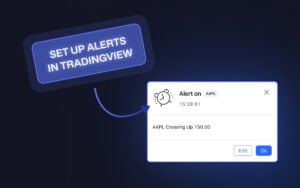
Read: Setting Up Alerts in TradingView – Pop-up, In-App, Email & MoreTo keep version one of the bot clean and easy to reproduce, we’ll define “previous session high” as the prior trading day’s high. That gives us an objective level that is easy to fetch and test. Later, if you want version two, you can make it more specific and track something like the Asian session high instead.
Step A: Open the chart and lock the context
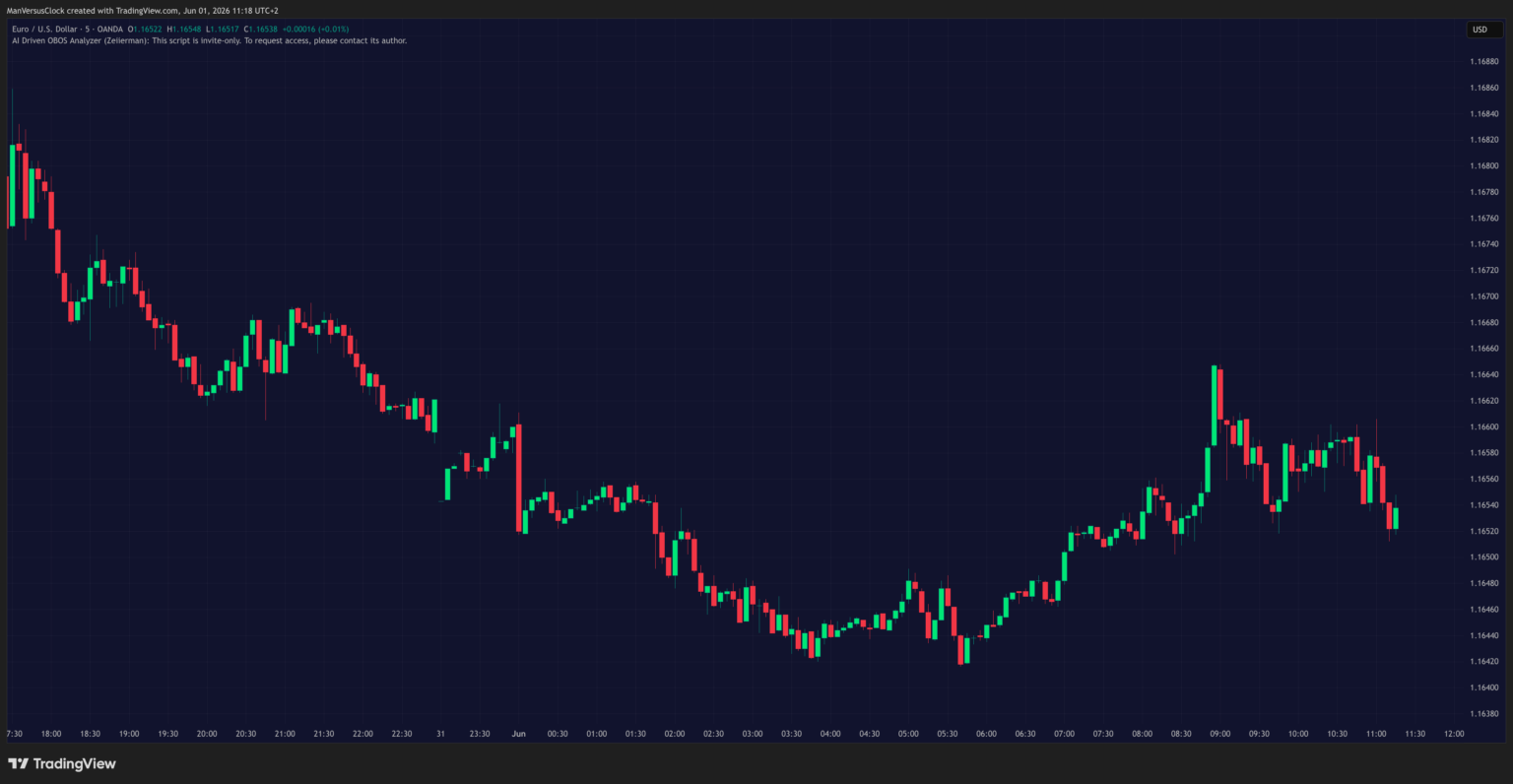
Set up the exact same context we defined earlier:
- Market: EUR/USD
- Timeframe: 5-minute chart
- Session focus: London open
- Breakout level: previous day’s high
- Confirmation: momentum expansion
Do not skip this part. If your chart context is wrong, the rest of the workflow becomes noise.
Step B: Open Pine Editor and paste this script
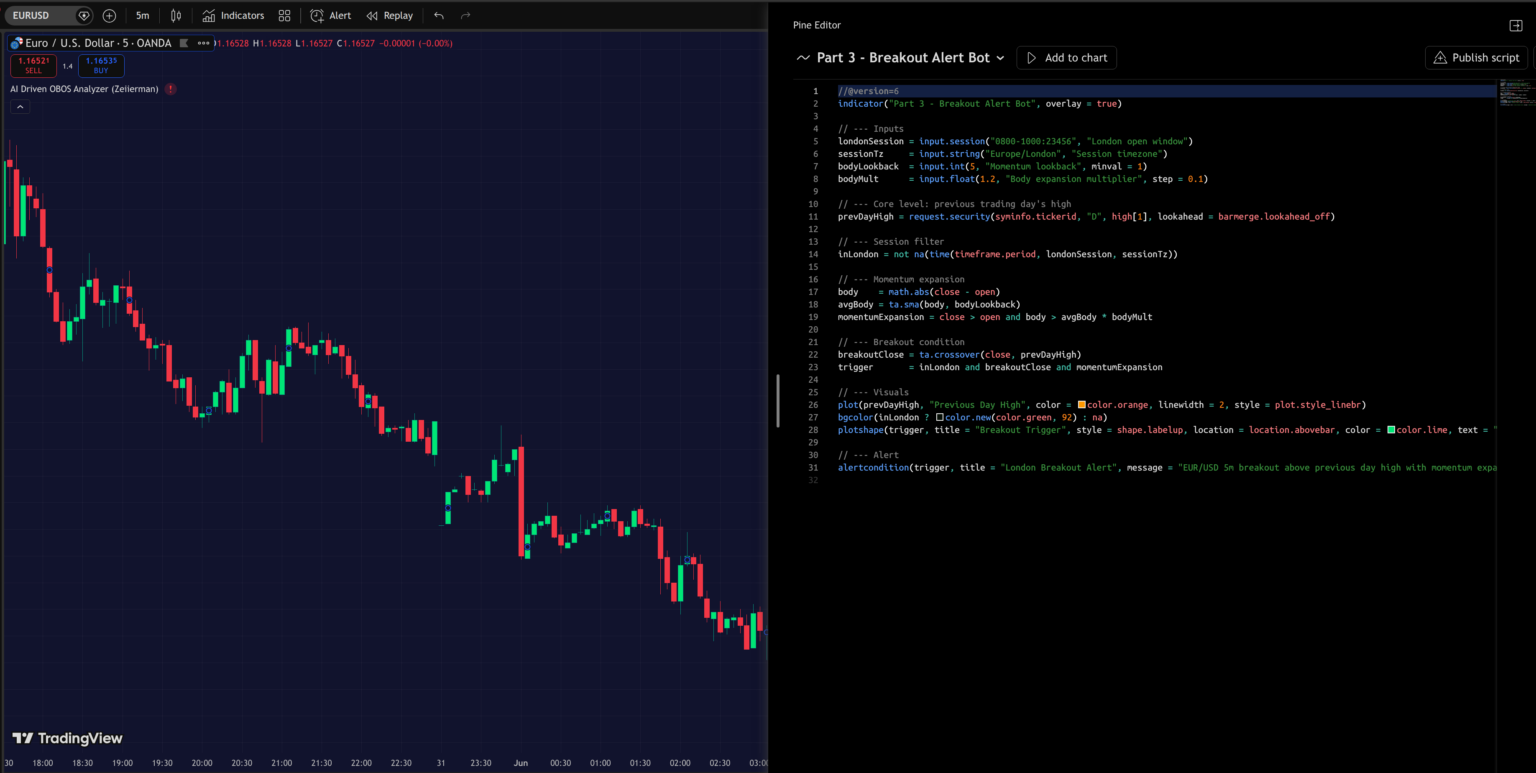
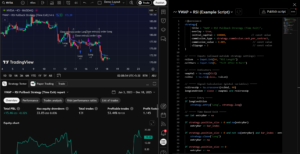
At the bottom of TradingView, open Pine Editor, create a new script, and paste the code below:
//@version=6

indicator("Part 3 - Breakout Alert Bot", overlay = true)

// --- Inputs

londonSession = input.session("0800-1000:23456", "London open window")

sessionTz     = input.string("Europe/London", "Session timezone")

bodyLookback  = input.int(5, "Momentum lookback", minval = 1)

bodyMult      = input.float(1.2, "Body expansion multiplier", step = 0.1)

// --- Core level: previous trading day's high

prevDayHigh = request.security(syminfo.tickerid, "D", high[1], lookahead = barmerge.lookahead_off)

// --- Session filter

inLondon = not na(time(timeframe.period, londonSession, sessionTz))

// --- Momentum expansion

body    = math.abs(close - open)

avgBody = ta.sma(body, bodyLookback)

momentumExpansion = close > open and body > avgBody * bodyMult

// --- Breakout condition

breakoutClose = ta.crossover(close, prevDayHigh)

trigger       = inLondon and breakoutClose and momentumExpansion

// --- Visuals

plot(prevDayHigh, "Previous Day High", color = color.orange, linewidth = 2, style = plot.style_linebr)

bgcolor(inLondon ? color.new(color.green, 92) : na)

plotshape(trigger, title = "Breakout Trigger", style = shape.labelup, location = location.abovebar, color = color.lime, text = "BOT", textcolor = color.black, size = size.tiny)

// --- Alert

alertcondition(trigger, title = "London Breakout Alert", message = "EUR/USD 5m breakout above previous day high with momentum expansion.")
Here is the logic in plain English:
- request.security() pulls data from another timeframe/context. In our case, we use it to fetch the previous daily high while staying on a 5-minute chart. TradingView documents request.security() as the function used to retrieve data from another symbol, timeframe, or context. (TradingView)
- time() is being used with a session string to check whether the current 5-minute bar falls inside our London-open window. TradingView documents that time() returns na outside the specified session, which is exactly what we use to build the session filter. (TradingView)
- alertcondition() creates a custom alert event inside an indicator. TradingView then exposes that event as a selectable condition in the Create Alert dialog. (TradingView)
Step C: Save the script and add it to the chart
Once you paste the code:
- Click Save
- Give it a name you will recognize
- Click Add to chart
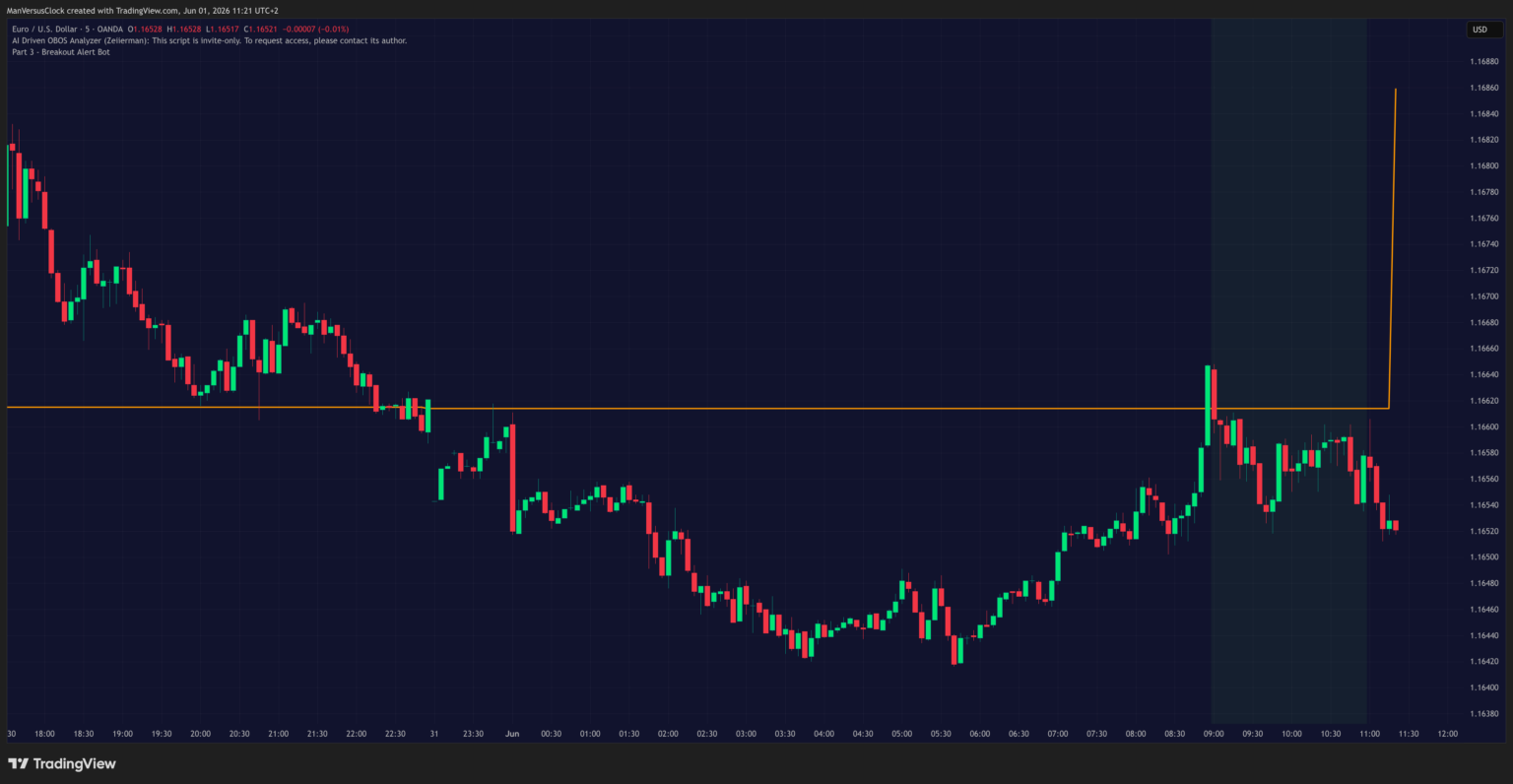
If it loaded correctly, you should now see:
- an orange line for the previous day’s high
- a light green background during the London window
- a small BOT label whenever all conditions line up
That is your first working bot logic on the chart.
Step D: Create the alert
You can create alerts from several places, including the top toolbar, the Alert Manager, the right-click menu, the drawing panel, the plus button next to price, or by using Alt + A / Option + A.
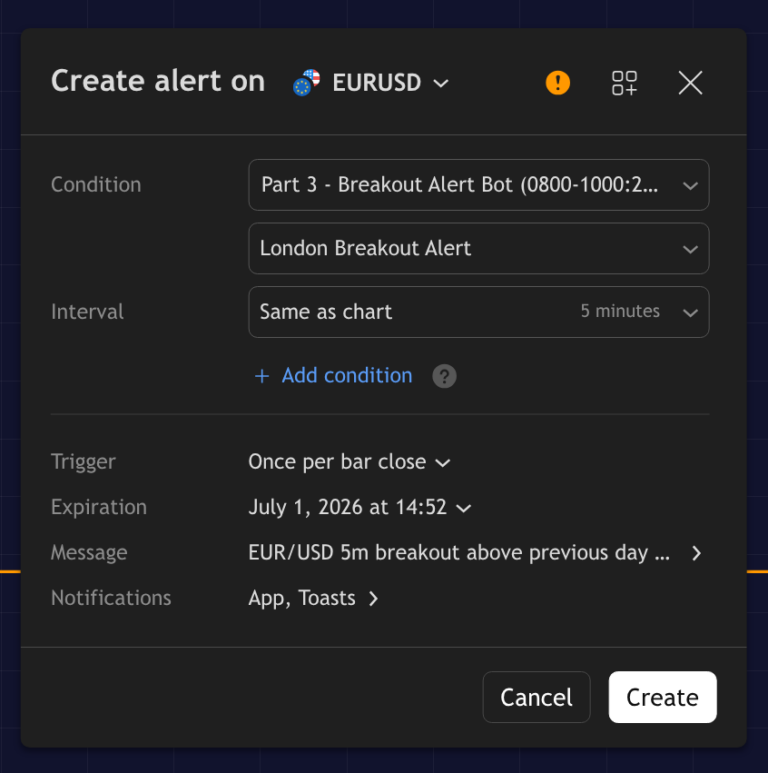
For this article, the cleanest route is:
- Click the Alert button
- In the Condition field, choose your script
- Then choose London Breakout Alert
- Set the alert to trigger on bar close rather than intrabar noise
- Name the alert clearly
- Add a message if you want the notification to be easy to interpret on mobile or desktop
- Enable the notification types you want
4. Test the Bot Thoroughly
Now that the bot exists, the next question is simple: Does it actually trigger where it should? This is a rite of passage that humbles many traders. We went through it too. How else would we have made dozens of successful scripts?
The goal here is not to prove that the bot wins every time. That is impossible. The goal is to see whether the alert behaves consistently and logically, and in accordance with the rules you gave it.
📌 What Not to Do: Don’t start changing five things at once. If the bot feels weak, fix one variable at a time. Do not rewrite the whole system after three examples. That is how traders end up curve-fitting a simple idea into a useless one.
Read: Backtesting Smarter in TradingView: From Idea to Iteration in 2026A. Run It on Historical Charts
Scroll back on the EUR/USD 5-minute chart and look at past London sessions. Focus only on the exact setup we built:
- previous day’s high marked
- London open filter active
- breakout close above the level
- momentum expansion present
Now ask yourself:
- Did the bot trigger only when all the right conditions were there?
- Did it miss any obvious breakouts that should have qualified?
- Did it fire in places where the move was too weak or too late?
- Does the alert logic match how you imagined the setup when you wrote the rules?
This part matters because sometimes the logic sounds perfect on paper, but behaves differently once you actually see it on a chart.
If you’d like to go more advanced, use Bar Replays. Bar Replay forces you to see the setup unfold candle by candle, rather than cheating with hindsight. That helps you answer a much more important question: Would I actually trust this alert in real time?
Keep a small review log to watch for patterns. For each historical trigger, note:
- date
- time
- whether the alert looked valid
- whether the market had room to move
- whether the confirmation looked strong or weak
- what happened after the alert
After 10 to 20 examples, patterns usually start showing up. You will often notice one of three things:
- the bot is cleaner than expected
- the bot is firing in the right places, but needs a better filter
- the setup itself is weaker than you thought
All three are useful outcomes.
B. Run It in Paper / Demo Mode
Once the historical review looks reasonably clean, the next step is to see how the bot behaves when the market is actually moving. This is where the workflow stops being theoretical.
The goal here is not to prove that the bot can make money immediately. The goal is to answer a much simpler question: Does this alert workflow still make sense when the chart is live, and you have to act in real time?
Run the alert during real London sessions and treat each valid trigger as a live trading decision.
That means:
- the alert fires
- you check the chart immediately
- you decide whether the setup still fits the rules
- if it does, you log the trade in paper mode
- if it does not, you log the reason for skipping it
📌 Pro Tip: Do not take every alert blindly just because the bot fired. At this stage, you are still checking whether the workflow is practical, not just whether the code works.
Keep a similar log here with the same inputs. After 10 to 15 live-paper examples, you will usually start noticing one of two things:
- the workflow feels cleaner and more usable than it did on historical review
- or the workflow is exposing friction that the backtest did not show
Both are useful outcomes.
C. Improve the First Version
The right way to improve a bot is to make small, deliberate upgrades one at a time. For example, if the alert is firing too often on weak breakouts, you can:
- tighten the momentum requirement
- shorten the active session window
- require the breakout candle to close a little more cleanly above the level
What you do not want to do is change the session, level, momentum filter, timeframe, and confirmation logic all in one go. The moment you do that, you no longer know what actually improved the bot and what just made the chart look prettier.
This is also where you should start thinking in terms of versions. Here’s a small progression of my bot:
- Version 1 = basic breakout alert
- Version 1.1 = tighter momentum filter
- Version 1.2 = cleaner session window
- Version 1.3 = improved breakout close condition
That habit alone will make you far more disciplined than most traders trying to “optimize” their automation.
Bonus: A Faster Alternative If You’re Not Ready to Build Yet
If this feels like a lot, that’s completely fair. Building your own workflow takes time. While some traders enjoy that process, others would rather skip the trial-and-error and start with something that is already structured.
That is exactly where our work can help. You can simply use our experience to build your portfolio.
At Zeiierman Trading, we have already put in those iterations across multiple bots and systems. The biggest example is Trading Signals, which tracks 80+ markets across 5 timeframes and delivers structured alerts directly into Discord.
So if you want to learn automation by building your own process, great. You have the roadmap now. But if you would rather lean on our experience and use a system that is already doing the heavy lifting, that is a perfectly valid path too. Sometimes the smartest move is not reinventing the wheel. It is using a better one.
Frequently Asked Questions (FAQs)
Will TradingView alerts work if my computer is closed?
TradingView alerts are server-side, so once you create them, they continue running even if you close the chart or shut down your computer.
Also, when you create an alert from a script, TradingView saves a mirror image of that script, its inputs, the symbol, and the timeframe at that moment. So if you later change the script settings, you should delete the old alert and create a new one.
Do I need coding skills to build my first bot?
For your first bot, you do not need to become a programmer overnight. A simple TradingView alert workflow already counts as a useful first step into automation. That said, some basic logic skills do help. You should at least understand how to turn a setup into rules like entry, confirmation, invalidation, and exit.
If you decide to go deeper later, then learning Pine Script, alert conditions, and webhooks becomes the natural next step.
Should I automate execution or alerts first?
Start with alerts first. It is the safer and smarter way to begin. Alerts let the system do the watching while you still control the decision-making, which helps you test whether the setup is actually useful before handing execution over to a machine.
Full execution automation should come later, once the logic is clear, the alerts are consistent, and the workflow has already proven itself in testing and paper trading.
How do I know if my first bot is actually useful?
Your first bot is useful if it consistently catches the exact setup you built it for and does so in a way that saves you time, improves discipline, or reduces missed opportunities. It does not need to be perfect. It just needs to be clear, repeatable, and worth paying attention to.
A good way to judge it is simple: does it fire where it should, does it avoid obvious garbage conditions, and would you actually trust the alert in real time? If the answer is mostly yes, you have something worth improving.

SM_Trader
SM_Trader is a highly experienced coder and strategy developer who brings the most complex algorithms to life. As a member of MENSA, the prestigious organization for individuals with intelligence scores in the top 2% of the world, he combines exceptional analytical skills with a keen eye for numbers and statistics, empowering businesses to grow at the right pace and in the right direction.
More from SM_Trader